A home-ideas notebook that lives on my phone.
I wanted a simple place to keep home inspiration, so I used AI to build one. Now I use House Notes to collect photos and links, add ideas and notes, and find them again on my phone.
Something I wanted for myself
The starting point was an ordinary need: I kept finding ideas for a home, but wanted a convenient place to put them. A photo, a link or a quick thought should be easy to capture in the moment and easy to find later.
I used AI to turn that need into a working tool, and now I use it. The useful result is a small, focused app that fits into my day: collect inspiration wherever I find it, keep a note about what caught my attention, and browse the collection on my phone.
Make capturing an idea feel easy
- Share straight into the notebook. In the installed Android web app, I can choose House Notes from another app’s Share menu to bring in an inspiration photo or web link.
- Keep it on the home screen. The private app installs as a web app, so opening it on my phone feels like opening a small dedicated tool.
- Add a thought quickly. A short title, a category and an optional note are enough to capture a new idea before I forget it.
- Find things without reorganizing a document. Ideas automatically appear in their category groups, with search and filters for narrowing the collection.
- Keep the phone view compact. Short rows expand when I want the detail, and adjustable gallery sizes make photos comfortable to browse.
- Preserve the reason behind the picture. Editable notes keep the detail I want to remember alongside the idea.
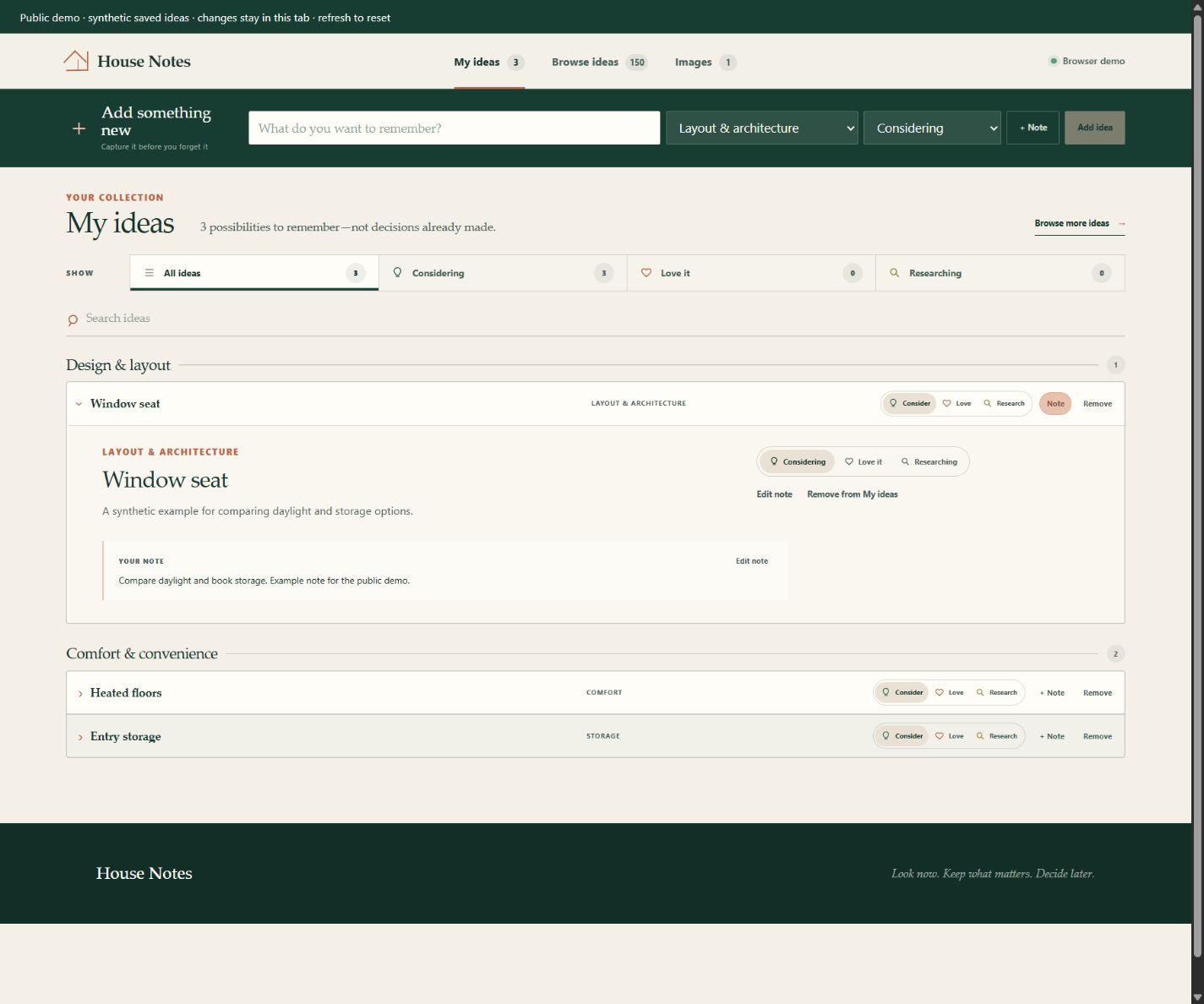
See the phone-sized idea and note view
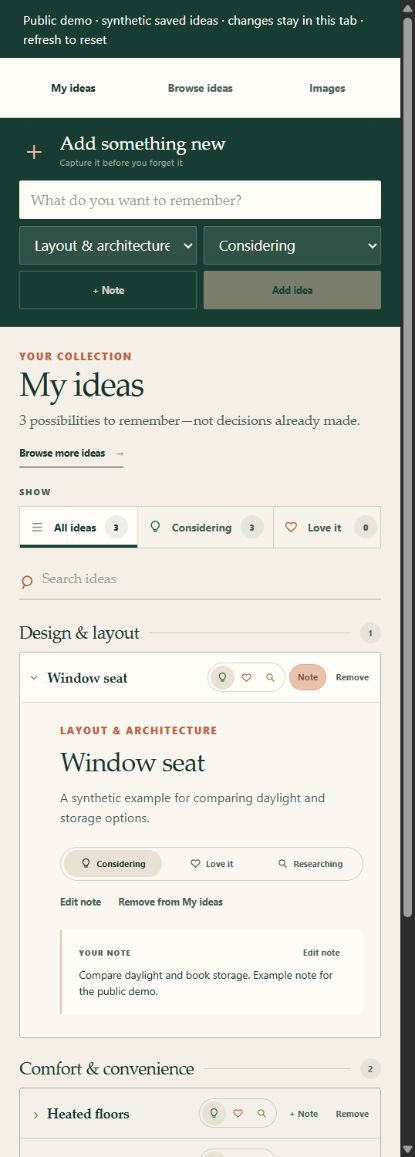
Try the public notebook
Add a new idea with a note, open a category, and try the compact lists and gallery controls. The demo uses example content and keeps changes in browser memory; refreshing resets it.
Phone installation, Android sharing and persistent storage belong to the private app I use. This public example does not connect to my notebook or include my photos, links or notes.
What AI helped me build
I set the need and judged the experience through everyday use. AI helped implement the interface, capture flows and the private application’s storage and access controls. The challenge was making these pieces work together as a convenient tool, from a shared photo to a readable collection on a small screen.
There is also an optional structured import for suggestions from an external AI. That is one way to add possibilities; the main purpose is keeping and using my own inspiration. The app does not automatically send the notebook to a model.
Behind the simple interface
The app uses React and TypeScript, with Cloudflare D1 for records and R2 for images. The private application checks owner access on its page and data routes. Existing tests cover rendering, protected routes, share metadata and imports. The browser demo shows the interaction; it does not exercise the private hosting integrations.