Make the hidden world inside a phone worth exploring.
AI helped me turn the smartphone research into six working UX prototypes. By trying different ways to explore the same parts and tools, I could decide how to visualize the research and share it as an engaging learning experience.
From a research question to a learning experience
The Smartphone Research Map began with a thought experiment: what would people need to build a smartphone without an existing industrial world? That question can produce an enormous amount of information. A list of dependencies alone does not make it easy or exciting to understand.
I wanted an experience closer to an interactive picture encyclopedia: enter a familiar object, discover what is inside it, and follow a detail as far as your curiosity takes you.
What I built
This collection compares six ways to navigate the same kind of material: an illustrated encyclopedia, an animation window, a scroll journey, a 3D zoom journey, a spatial canvas and a collapsible stack.
The shared starting point is a phone’s speaker. Its voice coil leads to insulated wire, and its tools open their own making journeys. The important distinction stays visible: a part becomes part of the result; a tool helps make it. A tool page explains how to make that tool, while the parent step explains how to use it.
Every approach keeps an ancestry trail back to the smartphone and tries to restore the exact step you left when you return. That is the central interaction problem: exploring a deep branch should not mean losing your place.
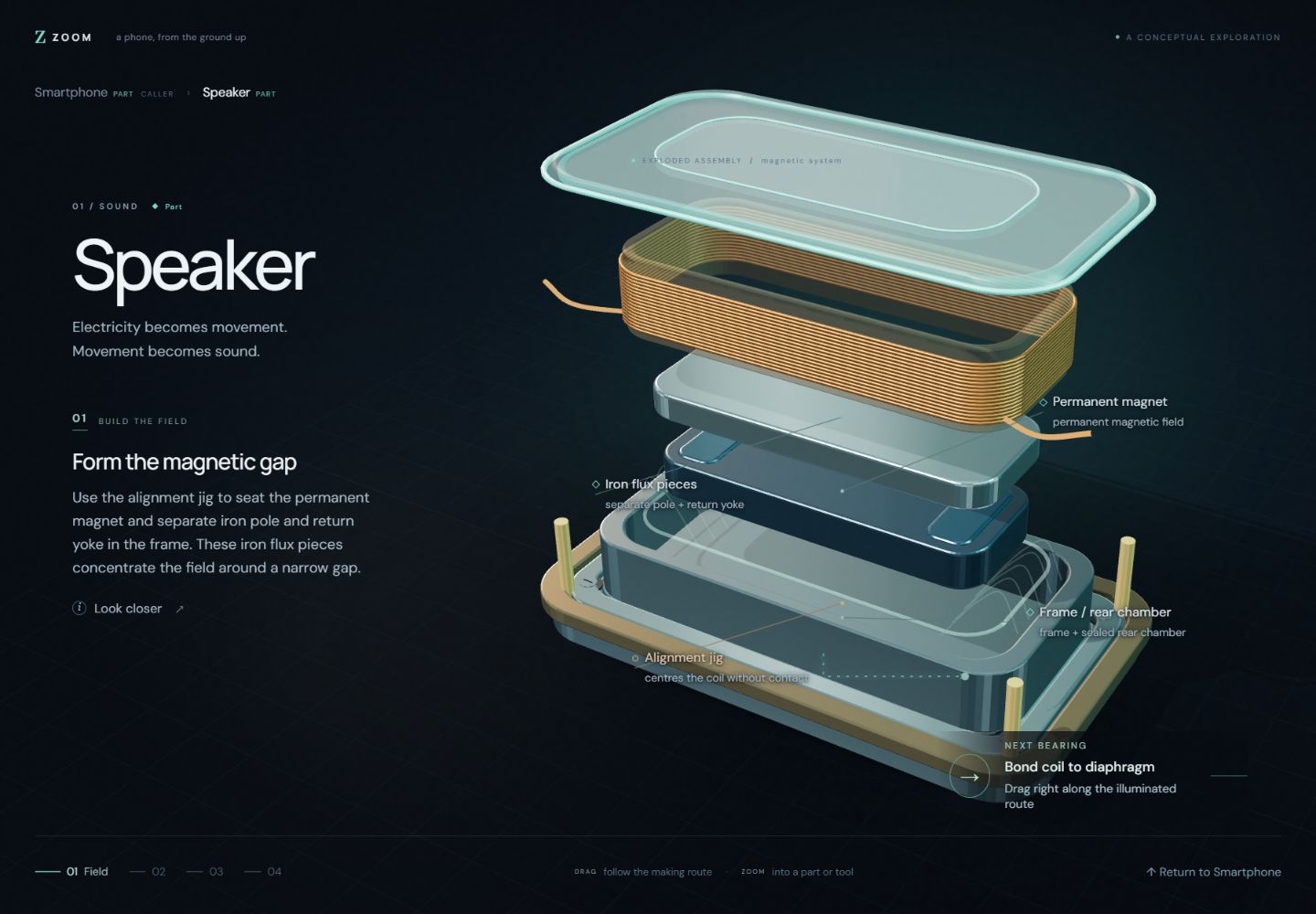
Try the same journey in different forms
Start with the Encyclopedia: read the speaker article, open the copper voice coil, then return to the speaker. Compare the same journey in Stack or Scroll. Does the motion help explain the relationship? Can you tell where you are, what you are learning about, and how to get back?
The goal of having several prototypes is to make those product decisions tangible before committing to a full encyclopedia.
Using AI to prototype a complex UX
I knew what I wanted people to discover, but I had not chosen how they should move through it. A phone opens into parts; each part has making steps; those steps need tools with journeys of their own. The interface has to explain those relationships while keeping people oriented as they explore.
AI made it practical to turn several competing ideas into working experiences. I gave separate agents different directions, from illustrated articles to animated and spatial views, then tried the results and asked for revisions. I could compare how each approach felt: whether a transition explained a relationship, how much information belonged on screen and whether returning from a deep branch restored the right place.
That is the purpose of the lab: use working prototypes to decide how I want to visualize and share the research before committing to a larger learning site. AI helped explore the design space, research example content, create conceptual illustrations and implement the interactions. I set the educational goal, interaction rules, visual direction and review criteria. The published pages run in the browser without a live model.
What is finished, and what is still a prototype
The six current approaches demonstrate the interaction and a limited set of learning journeys. Some child branches are explicitly marked stand-ins, and the diagrams simplify or enlarge geometry for explanation. This is not a complete manufacturing encyclopedia or a verified fabrication guide.
The research registry and the learning prototypes are separate implementations. Connecting a chosen experience directly to the versioned research data, and testing how well people learn from it, remain future work.