How far can AI take an infinite canvas?
bound.less is a drawing app where you can zoom into a detail and keep drawing inside it. It is also my ongoing experiment in how much complex software AI can build when I direct the work without editing the code myself.
The idea
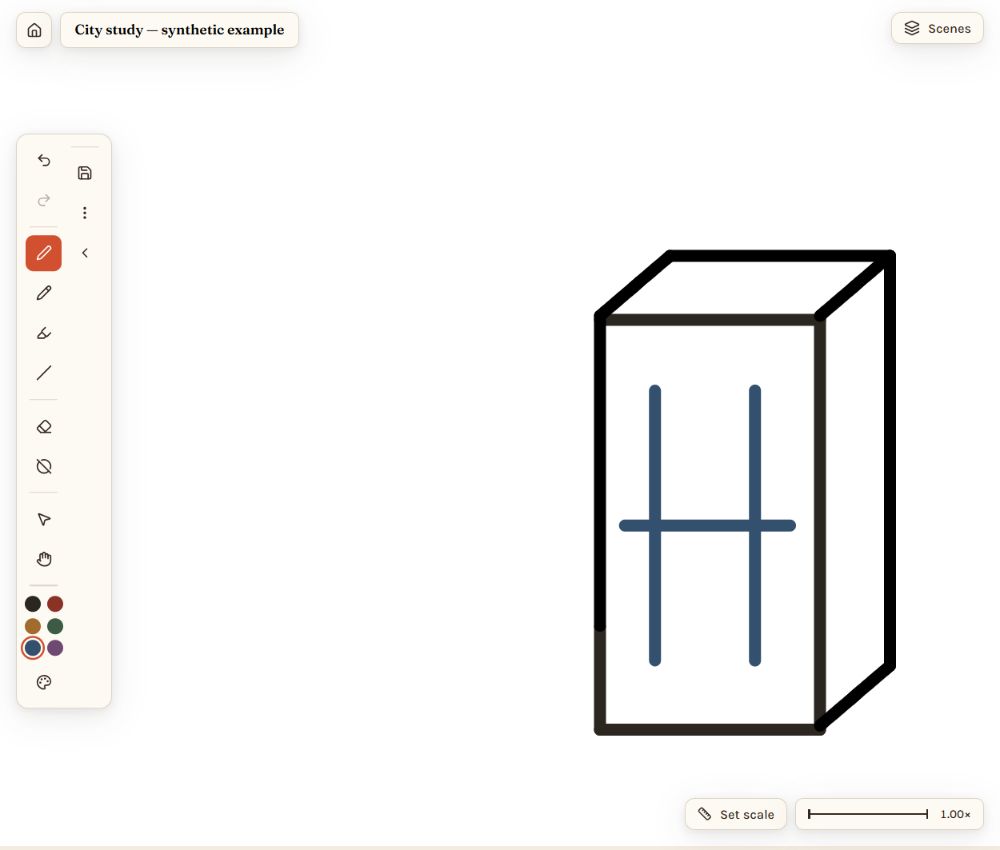
A drawing usually has a fixed page and a practical limit on detail. bound.less explores another possibility: a city can contain buildings, a window can contain a room, and a tiny object in that room can become another place to draw.
The product challenge is to make that freedom usable. People still need ordinary drawing tools, a way to find their way back, understandable scale and confidence that their work can be saved.
A practical way to find out what AI can do
I wanted to find out how far AI could take a large, technically demanding project. For this AI-led version of bound.less, I have deliberately not written or edited a line of code. I set the goals, discuss architecture, review what agents propose and test the experience; the agents write and change the code.
Working with Claude Code, Codex, Cursor and Lovable has shown me how much AI can now accomplish: a drawing engine, tools and selection, real-world scale, Scenes navigation, local files, account sync and a custom renderer. Some agents have handled very large engineering tasks well, including weeks of review and performance work on the renderer.
The project gives me a continuing way to stay current with frontier AI models. As their capabilities change, I can try them on a substantial existing codebase and see how they handle architecture, unfamiliar bugs, testing and sustained work. The useful question is what an agent can carry through to a working, reviewable result.
The hard parts, in plain language
Keep tiny details accurate while zooming. A browser eventually runs out of numerical precision if one drawing uses a single enormous set of coordinates. I built a system of small local coordinate spaces—like an atlas with a more detailed map inside each region. A detail stays at the scale where it was drawn, rather than being repeatedly stretched and rounded.
Make Chrome draw what the geometry says. Correct curve calculations do not always produce the right picture in the browser. At extreme scales, thin lines can disappear and curves can shift. I built a custom rasterizer: code that turns the curve data into screen pixels itself, with more precise calculations than the browser’s normal drawing path. The labs isolate these differences so I can compare the actual picture.
Keep large drawings responsive. Redrawing every object whenever the view changes is too much work. The new renderer divides the view into small image tiles, prepares them in background workers and reuses finished tiles. It updates the areas that need work and keeps a usable picture on screen while finer detail is prepared.
Move a whole drawing without disturbing its hidden detail. A large selection may contain thousands of tiny shapes at different depths. I changed how groups are addressed so moving a region does not require rewriting every point inside it. That preserves the relationships between large shapes and their smallest details while reducing repeated work.
Technical architecture
Local coordinate frames cross scales by a power-of-two ratio of 4,096. Strokes use circular arcs; the custom float64 rasterizer runs in Web Workers and composes cached image plates. Snapshots and an operation log support local persistence and undo. These describe the source architecture; the next deployment will bring the custom renderer to the live app.
Try it
- Start a local drawing. No account is required.
- Draw at two scales. Sketch a large shape, zoom into a detail and add something smaller.
- Save a place. Use Scenes to return to a different part of the drawing, or set a real-world length and inspect the scale bar.
- Keep a copy. Export a
.boundless.jsonfile. Optional Google sign-in enables account sync.
Letting an agent stay with a difficult problem
The custom rasterizer had already been built, but its first implementation was brittle. I used the self-compaction workflow to let an agent keep working for weeks: first reviewing and hardening that renderer, then analyzing performance, researching possible improvements and implementing them.
The agent chose sensible moments to compact, preserved its findings and next steps, and resumed without my having to watch its context window. That made sustained engineering work possible across many sessions. The renderer is still being tested before deployment to the live app.
The small experiments behind the app
The most useful labs let me compare the choices behind the drawing engine directly:
Other focused studies explore disappearing thin SVG lines, curves at extreme scales and selection feedback across scales.
AI helped build the experiments. I used them to inspect real browser behavior and compare tradeoffs before choosing an approach for the app.
The source also includes full-app browser performance scenarios, rasterizer benchmarks and a memory census. These are measurement scripts rather than standalone pages; some need a running app or private drawing fixtures.
Roadmap
- Deploy the custom rasterizer when tested and ready.
The next release focuses on correct display in Chrome, stable zoom transitions without jumping, and better loading, drawing and movement performance. The renderer is built; deployment follows the remaining browser checks.
- Make the experience easier to learn and use.
Priorities include a clearer Scenes panel with useful thumbnails and simple navigation, a phone layout that leaves more room for the drawing, better first-run guidance, visible loading feedback, and stronger keyboard and selection affordances. Rotation and measurement tools, plus simple move-to-front and move-to-back controls, are also planned.
- Let people share and create together.
Add public read-only drawing links and a public gallery, share canvases with view or edit access, then support collaborative drawing with concurrent edits merged safely across people and devices.
History
I based this project on a basic 2021 university prototype that I built with Michael Sawchuk, Anuja Mehta and Nolan Raghu. Its roughly 4,600 lines of code provided simple drawing tools, pan/zoom within SVG’s limits and Firebase integration. Deep zoom beyond those limits, reliable saving and navigation still needed work; the local-coordinate engine and custom rasterizer described above had not been built.
That small prototype was the starting point for the AI-led project. The October 2026 development snapshot has about 165,000 lines of code, including tests and tools. These are physical lines, including comments and blanks, and describe the development source rather than the older live deployment.
Sources and counting method
Compare the original prototype ↗ and its remaining-work list ↗ with committed development snapshot cef36c3. Counts exclude dependencies, build output, generated reference pages, data and documentation. Exact counts, scope and snapshot identifiers.